Smartsheet Pricing in 2026: What Your Team Actually Pays (and Where It Jumps)
 Written by Martin J.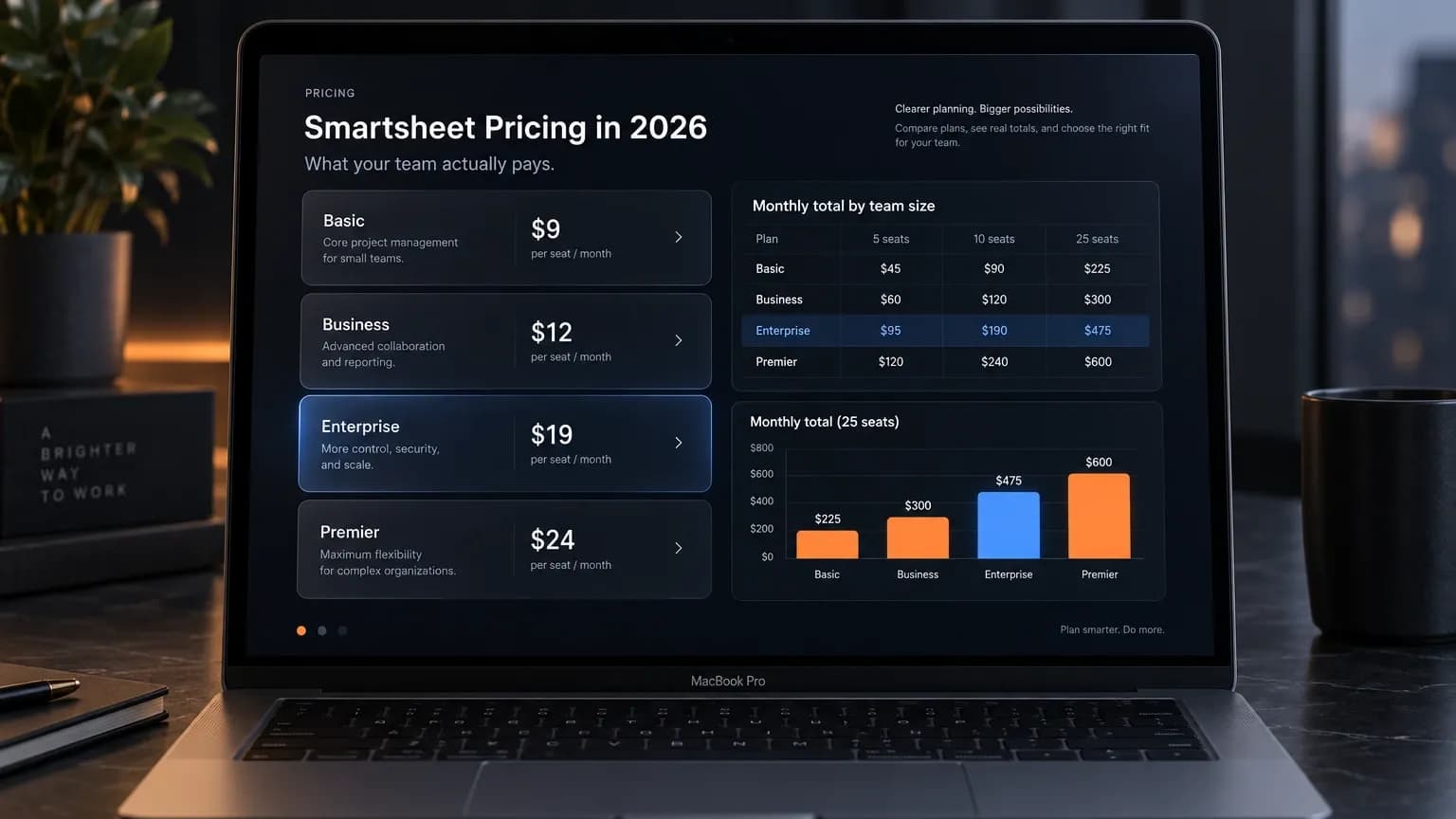
Smartsheet's per-seat rate has not moved in three years. Pro is still $9 and Business is still $19 per Member per month on annual billing, and a page dated December 2023 prints the same Business pair you will find on the vendor's site today. Meanwhile the thread sitting at position five of this search result is a list of customers describing renewals that doubled, and a procurement consultancy puts the increases at 30% to 50%. Both of those things are true at once, because the two numbers are measuring different things. One counts the rate on the card. The other counts the people the vendor decides to charge that rate to. So which of them decides your bill this year: the price you agreed to, or the seat count somebody else is assembling on your behalf? You will probably only find out when the quote arrives.
Somewhere in your account there is a number nobody has shown you. It is not the per-seat rate and it is not the plan name. It is the count of people Smartsheet treats as connected to your usage, and that count is what your next renewal gets calculated from. The vendor publishes the metric, states in its own documentation that it matters when you renew, and puts it on a dashboard most admins never open. Your rate can stay exactly where it is while that count moves, which is how one customer arrives at a renewal about $20,000 above the previous one with no price list involved. The rule deciding which of those people becomes a paid seat is written in a table inside a help article, not on the page anyone would call pricing.
Every figure below was read on 2026-10-05 from the vendor's own surfaces: www.smartsheet.com/pricing, help.smartsheet.com, and the vendor's content centre. Prices are USD for the United States market and annual billing unless a row says otherwise. Third-party figures carry their source and their date next to them.
Smartsheet pricing at 5, 10 and 25 Members
Four tiers, two of them with a published price. Here is the ladder as the vendor renders it.
Plan | Annual per Member/month | Monthly per Member/month | Members, as the vendor words it | Automations | Attachment storage |
|---|---|---|---|---|---|
Pro | $9 | $12 | "1-10 Members, unlimited Contributors" | 250 per month | 20 GB (30 MB per file) |
Business | $19 | $24 | "3+ Members, unlimited Guests and Contributors" | Unlimited | 1 TB (250 MB per file) |
Enterprise | Custom | Custom | "10+ Members" | Not stated on the card | Unlimited |
Advanced Work Management | Custom | Custom | "Solutions for your needs" | Not stated on the card | Unlimited |
Source: www.smartsheet.com/pricing, USD render, read 2026-10-05, first-party. The rates are corroborated by dated third-party pages: larksuite.com (2026-09-18) prints Pro at "$9 per member per month when billed annually" and Business at $19; softr.io (verified 2026-09-16) prints the same pair; cloudwards.net (2023-12-22) prints Business at "$19 per user per month billed annually or $24 per user per month billed monthly."
The vendor's own comparison table compresses all four tiers into one row that reads "Members | Max 10 | Min 3 | Custom | Custom". That single row is the whole tier structure, and it is where both of this article's structural findings come from.
Annual billed, monthly totals. Every total here is my arithmetic on the rates above.
Members | Pro monthly total | Business monthly total |
|---|---|---|
5 | $45 | $95 |
10 | $90 | $190 |
25 | not purchasable (Pro stops at 10) | $475 |
Monthly billed, monthly totals.
Members | Pro monthly total | Business monthly total |
|---|---|---|
5 | $60 | $120 |
10 | $120 | $240 |
25 | not purchasable | $600 |
The same three teams, over a year.
Members | Pro annual | Business annual |
|---|---|---|
5 | $540 | $1,140 |
10 | $1,080 | $2,280 |
25 | not purchasable | $5,700 |
So Smartsheet cost at your team size is a multiplication you can do in a second, and that is exactly why the ranking pages stop here. The multiplication is not the problem. The next two sections are.

The Pro ceiling: what the eleventh Member costs
Pro covers 1 to 10 Members. The card says it, the comparison table's "Max 10" cell says it, and there is no published Pro rung above ten. An eleven-person team cannot buy Pro at list at all. The next published destination is Business, and the step is $9 to $19 per head, which is +111.1% per seat, calculated from the two rates above.
Here is that arithmetic the way your finance team will see it:
| 10 Members on Pro | 11 Members on Business |
|---|---|---|
Monthly total, annual billing | $90 | $209 |
Annual total | $1,080 | $2,508 |
Adding one person raises the bill by $119 a month, or $1,428 a year, because the eleventh seat changes the rate on all eleven seats. You go from paying $9 for ten people to paying $19 for eleven, and the ten people who did not change cost you $100 more per month than they did before.
The second gate points at the same upgrade. Pro ships with 250 automations per month, which works out to roughly 8 a day for the whole account. A team running update requests and reminder workflows across a handful of sheets will burn through that, and the tier that removes the cap is Business, where the 250 ceiling becomes unlimited and the card adds "Connect to external AI tools." Two independent gates, one destination. If your team is anywhere near ten people and automates anything, you are pricing Business whether or not you know it yet. The same automation ceiling shows up in other automation stacks, and the /blog/marketing-automation-tools/ breakdown covers how teams end up paying for a tier they only needed for one feature.
Existing customers cannot buy Pro at all. The live page states it plainly: "The Pro plan is only available to new customers." The help centre then shows where legacy accounts land, and this is the vendor's own wording: "Basic / Individual / Individual Monthly / Advanced / Advanced Plan - Licensed Users" all map to "Business Plan - Paid User", with the note "Upon transition, your plan will include the features of the Business plan." Team Plan and Company Wide tiers map to the same successor. So a long-standing small account cannot move to the cheaper tier, because the cheaper tier is closed to it. The successor product the vendor names is Business.
One more step nobody mentions while they are looking at the rate: Pro includes 20 GB of attachment storage and Business includes 1 TB, a fifty times increase, and the per-file cap moves from 30 MB to 250 MB at the same tier change.
The Business floor: the third seat you pay for and never use
Business starts at 3 Members. A two-person team that needs Business pays for three at $19 per Member on annual rates, so $57 a month ($684 a year), or at $24 per Member on monthly rates, so $72 a month ($864). One seat buys nothing. At annual rates that is $228 a year for an empty chair, and $288 on monthly billing.
The floor is not a Pro problem. Two people on Pro, if they qualify as new customers, pay $18 a month. Three is a Business number, and the vendor's comparison table states it as "Min 3" without further comment. Enterprise then moves the floor again to "10+ Members", which means the tier that solves complexity introduces its own minimum.
The point of both sections is the same. The published rates are low and the published ranges are the expensive part. A ten-person team is in the cheapest possible position on this ladder. Everything on either side of ten costs more per person, not less.
The add-on stack: what else appears on a Smartsheet invoice
The subscription is not the invoice. Eleven separate products sit alongside the four plans, and the vendor prices only two of them on the page.
Add-on | Available on Pro | Available on Business | Published price |
|---|---|---|---|
Dynamic View | No | Add-on | Starting at $125/month |
Data Shuttle | No | Add-on | Starting at $100/month |
Control Center | No | Add-on | Not published |
Resource Management | No | Add-on | Not published |
Brandfolder | Add-on | Add-on | Not published |
Standard Support Package | No | Add-on | Not published |
Premium Support Package | No | Add-on | Not published |
Smartsheet University | Add-on | Add-on | Not published |
Professional Services | No | Add-on | Not published |
Technical Account Managers | No | Add-on | Not published |
DataTable, Bridge | No | No | Not published |
Source: www.smartsheet.com/pricing, "Features by plan type" table, read 2026-10-05, first-party. "Starting at" is the vendor's own wording, and it matters: neither figure is a ceiling, and neither is tied to a Member count, so you cannot compute your own add-on line from the page.
Three things follow, and you can check all three on your own account.
Two add-ons publish a real starting price and nine do not. Dynamic View and Data Shuttle are the only quantified ones. A ten-Member Business account adding both sits at $415 a month against a $190 base, so the add-ons can more than double what you thought you were buying before Enterprise enters the conversation at all.
The premium capabilities are the Enterprise differentiator. Control Center, Bridge and DataTable are the rows where Business is a flat no. They are also the rows a team managing a portfolio of projects needs, which is why the Enterprise conversation starts where it does and why its price is a quote rather than a number.
Support is a line item, not a given. Standard Support is included on Enterprise and is an add-on on Business, and the help centre notes that legacy Business customers who held support as part of their plan are landing on successor tiers with a support package attached. If your renewal paperwork changed shape and you cannot say why, that is a place to look.
Annual versus monthly: the discount as a percentage
The vendor does not print a discount percentage anywhere I could read. It is derivable from the two rate pairs, and it is not the same on both tiers.
Plan | Annual per Member | Monthly per Member | Implied discount |
|---|---|---|---|
Pro | $9 | $12 | 25.0% |
Business | $19 | $24 | 20.8% |
Discount column is calculated from the two first-party rate pairs.
In money, on the seat totals above:
Team | Plan | Monthly billing, per year | Annual billing, per year | Saved |
|---|---|---|---|---|
10 Members | Pro | $1,440 | $1,080 | $360 |
10 Members | Business | $2,880 | $2,280 | $600 |
25 Members | Business | $7,200 | $5,700 | $1,500 |
Put those two tables next to each other and something useful falls out. At ten Members, the step from Pro to Business costs $1,200 a year more on annual billing, while the annual commitment itself is worth $600 on that same Business account. In other words, at small sizes the billing cycle you choose moves your bill almost as much as the tier you choose, and only one of those two decisions is reversible at renewal. /blog/zapier-pricing/ works the same comparison on an annual toggle that changes the unit rather than the rate, and the two pages arrive at similar advice: decide the cycle before you decide the tier.
There is no free plan. The live page offers "30 days free, no credit card required" in two places, and the ladder starts at Pro. Two independent 2026 sources say the same thing: larksuite.com (2026-09-18) writes that "Smartsheet's free plan is no longer available, so the only way to use Smartsheet for free is through its free trial", and softr.io (verified 2026-09-16) agrees that as of 2025 there is no permanent free subscription. Any page still promising a free tier is describing a product the vendor stopped selling: one dated 2026-08-29 page in this field still prints "Smartsheet has a limited free plan", which the vendor's own page contradicts.
Why Smartsheet renewals jump: the seat count, not the rate
This is the section every other page skips, and the evidence for it sits in plain sight on the result page. None of what follows is vendor-confirmed, and I am not going to present it as though it were.
What a procurement consultancy measured. NPI Financial, in a note dated 2024-02-29, writes that "Standard price hikes of 3% to 5% year-over-year have given way to stratospheric increases of 30% to 50% in some instances." It names two drivers: pricing disparity on the Enterprise licence, and "the introduction of 'connected user' licensing tied to tangential system usage." The same note goes further and states that Smartsheet "will at times overinflate the figures for connected user counts", recommending that buyers validate and challenge the count. That is a named third-party accusation. I am reporting it as NPI's claim, which is what it is.
What customers report. The thread at position five, "Licenses/Price Increase", reads as a list of seat counts rather than prices. One account went from "25-ish licenses" with "50-ish free/limited users" to everyone requiring a licence, and reports "an increase of about $20k at our annual renewal." A second went "from 17 licensed users to over 50" and is moving off the platform. A third went "from needing 10 licenses to 30", adding that most of those people only add meeting notes periodically. A fourth says "SmartSheet told us that all plans converting to the new model would have a 15% price cap." That last one is a customer's account of what they were told, and it has to be read as one, because the vendor does not publish a percentage for its transition discount.
What the vendor says, in its own words. In a post dated 2025-06-25 the vendor writes: "The thousands of customers who have already transitioned to user model on average are realizing 70% more seats with a less than 10% increase in total user subscription fees." The same page explains how the loyalty benefit is calculated, and this is the sentence that resolves everything: the benefit "is calculated using a customer's annual user subscription fees and the number of active free collaborators under their legacy Smartsheet plan." It also carries a condition, in a footnote: to keep the benefit on later renewals, the customer must "maintain or increase subscription service spend year over year."
So here is the reconciliation. The vendor's average and the customers' individual reports are both accurate, and they describe different accounts. "70% more seats with a less than 10% increase" is a blended figure across customers who had many free collaborators, and it is stated in seats against fees. An individual bill moves with exactly one variable: how many free collaborators that account had. A team with two free users sees almost nothing. A team with fifty sees a doubling. That is one mechanic at different ratios, and the vendor's own footnote names the variable out loud. The 15% cap in the thread sits comfortably next to the vendor's "one-time transition discount" language, and the two should stay separate: the user reported a number, the vendor described a mechanism and published no percentage.
Two independent measurements support the seat reading rather than the rate reading. SpendHound's 2026 data puts Smartsheet pricing up 17.69% year over year for SMB (based on 162 customers) and up 7.4% for enterprise (184 customers), with average annual spend of $21,164 and $144,965 respectively. Vendr reports a median contract of $26,001, a low of $3,045 and a high of $125,984, and states that Smartsheet "often proposes renewal pricing at or near list rates" while buyers who benchmark "often achieve 15 to 30 percent" discounts. A seat-driven increase would land hardest on the segment with the most free collaborators, and SpendHound's SMB increase is more than double its enterprise increase. A rate-driven one would not do that.

The vendor's own buying guide is the last piece, and it is the most quotable thing in this whole article. Under "Renewal Dynamics and Price Escalation" on smartsheet.com/content/enterprise-pmo-buyers-guide, it asks buyers whether they have predictable pricing, or whether the vendor will "increase costs 15 to 30 percent at renewal", and whether they are "locked into seat bundles you don't need." That is the vendor describing the category, not itself, and it lands next to the NPI note and the customer testimony without any editorialising from me.
On the ownership question, a timeline and nothing more. Blackstone and Vista Equity Partners announced the acquisition of Smartsheet for approximately $8.4 billion on 2024-09-24, and it completed on 2025-01-22. The vendor published its user-model and loyalty-benefit post on 2025-06-25. The ownership change and the licensing change happened within the same eighteen months. Anyone telling you the second caused the first is going beyond what the record supports, and so am I.
For context, none of this is unique to one vendor. Zylo's 2026 SaaS Management Index reports that 79% of IT leaders hit a price increase at their last renewal, so the interesting question is not whether renewals rise but which lever is moving yours.
Plan Insights and the Connected Users Report: price your renewal before the quote
Every other page on this query tells you what the plans cost. This is the part that changes what you do next, and it is first-party documentation.
Plan Insights is a dashboard inside the admin area. It reports plan type and renewal date, "Licenses used by the plan", a license threshold, connected users and a connected users threshold. The vendor states what the connected-user figure is for: "Connected users represent the total number of users associated with your Smartsheet usage. This number is relevant when you purchase, true up, or renew your account." There is also a Connected Users Report the admin can generate, listing each connected user with their activity, department and asset count.
That is the instrument. Two weeks before your renewal, you can pull the exact list of people the vendor intends to count, compare it against the seats you think you are paying for, and arrive at the conversation with your own number instead of theirs. NPI's recommendation to "validate and challenge counts" is only actionable if you have the count, and the count is sitting behind a dashboard nobody opens.
The boundary that decides who gets added to it is documented too, in a Members versus Free Collaborators table rather than in prose. Free collaborators cannot create sheets, reports or dashboards, cannot change permissions, cannot unlock rows or columns, cannot track workloads, and cannot access automated workflows. A person who comments, uploads attachments or submits a form does not need a seat. A person who creates anything, or who touches a workflow, does. Read that as the bill: the moment a previously free collaborator needs an automation, the account grows a paid seat, and the vendor says so in a table.
Smartsheet cost compared with Monday, Asana and Notion at 10 seats
Same seat basis, same ten users, annual billing, only the tier you would realistically buy. All figures verified 2026-10-05.
Tool | Entry tier | Mid tier | Seat rules | 10 users, monthly total (annual billing) |
|---|---|---|---|---|
Smartsheet | Pro $9/Member | Business $19 | Pro caps at 10 Members. Business floor 3, no published ceiling. Pro is closed to existing customers. | Pro $90 (if eligible) / Business $190 |
monday.com | Basic $9/seat | Standard $12 | Sold in buckets: 3-seat minimum, then multiples of 5. Basic ships with zero automations and zero integrations. | Standard $120 / Pro $190 |
Asana | Starter $10.99/user | Advanced $24.99 | Starter states no user seat limits. Free tier caps at 2 users. | Starter $109.90 / Advanced $249.90 |
Notion | Plus $10/member | Business $20 | Free tier is real and does not expire. Guests are not seats. | Plus $100 / Business $200 |
Google Sheets / Excel | $0 for the sheet itself | n/a | No licence needed to work in a spreadsheet; you pay for the suite around it. | $0 |
Smartsheet rates from www.smartsheet.com/pricing (2026-10-05, first-party). monday.com from monday.com and its support article (2026-10-05). Asana from asana.com/pricing (2026-10-05, first-party; the page's own toggle reads "Monthly | Yearly Save up to 18%"). Notion from notion.com/pricing (2026-10-05, first-party; the header reads "Save up to 20% with yearly"). The 10-user column is my arithmetic on those rates. In the other billing cycle, those same rates give Smartsheet Pro $120 and Business $240 at ten Members, against monday.com at $140 and $240, Asana at $134.90 and $304.90, and Notion at $100 and $200.
At ten Members on annual billing, Smartsheet Business ($190) and monday.com Pro ($190) are the same number. Notion Business is $200, Asana Advanced is $249.90, and the two cheaper-looking options undercut Smartsheet Business by $70 and $80.10 a month respectively. The full Monday ladder, including the bucket rule that makes a six-person team buy ten seats, is worked through on /blog/monday-com-pricing/, and I am not going to rebuild it here.
The comparison that matters is not the mid tier, though. It is that Smartsheet's entry rung stops at ten Members while Asana's Starter explicitly has no seat limit and Notion's Plus has no published cap. A team of twelve has three different experiences on the same afternoon: Smartsheet forces the +111% Business step, monday.com forces a fifteen-seat bucket it does not need, and Asana simply adds a twelfth seat at $10.99. /blog/notion-pricing/ covers what per-member billing does when you do not fill a seat, which is the mirror image of the problem here.
And the honest counterweight, because without it this table is a pitch. monday.com's cheapest tier ships with zero automations and zero integrations, and its Standard tier caps at 250 actions a month, which is the same roughly-eight-a-day ceiling Smartsheet's Pro imposes. The lowest entry rate in the table is the one that fails fastest the moment a team automates anything. Compare monthly totals at your own headcount, and compare what the tier you actually need includes, rather than the rate on the cheapest row.
When Smartsheet is the wrong purchase
Six shapes, stated plainly, because a pricing page that only sells is not a buying tool.
Ten people or fewer who automate lightly. You are on the cheapest rung of this ladder and it is genuinely cheap. Pro at $90 a month for ten people is competitive with anything in the table above.
Eleven to fifteen people. You are paying $19 a head for a tier you may not need, and the trigger was one hire. Asana and Notion both add a seat without changing the rate on the other ten.
A two-person team that needs Business features. You pay for three seats, and one of them buys nothing. $228 a year at annual rates.
Anyone whose job is mostly reading. If your team comments, uploads and submits forms rather than creating, the free collaborator class covers them, and your seat count should be smaller than your headcount. The Members versus Free Collaborators table is the checklist.
A team that needs Control Center, Bridge or DataTable. That is Enterprise, and Enterprise has no published price, which means you cannot budget it from public information and should not try.
Anyone who cannot answer how many connected users they have. That is not a reason to leave. It is a reason to open Plan Insights before the next quote, because the difference between your seat count and the vendor's connected-user count is where the surprise lives.
The wider version of this question, how much of a stack should live in one subscription versus several, is the subject of /blog/martech-stack/. It is worth reading before you add a fourth renewal date to the calendar.
Where this leaves your renewal
Two numbers decide this bill and neither is the one printed largest on the pricing page. The first is your seat count at the moment the renewal is calculated, which is why the connected-user report matters more than the plan comparison. The second is which side of the Pro ceiling you land on, because crossing ten Members changes the rate on every seat you own rather than on the one you added. Price your own headcount against the tables above, then open the dashboard before somebody else does it for you.
Prices as of October 2026. Every figure above was verified on 2026-10-05 against the vendor's own pricing page, help centre and content centre, in USD for the United States market, annual billing unless a row says otherwise. Third-party figures carry their source and date. Renewal-increase reports are attributed to their sources and are not vendor-confirmed. A note on the search itself: www.smartsheet.com/pricing does not appear anywhere in the top 23 results for smartsheet pricing as of that date, while es.smartsheet.com/pricing holds two positions, and a customer complaint thread from January 2021 holds position one. That is the gap this page was written to close.
Frequently Asked Questions
How much does Smartsheet cost?
$9 per Member per month on Pro and $19 on Business, annual billing, or $12 and $24 on monthly billing. In monthly totals on annual billing that is $45 and $95 at 5 Members, $90 and $190 at 10, and Business only at $475 for 25, because Pro stops at ten. The same three teams on monthly billing pay $60 and $120, $120 and $240, and $600. Over a year on annual billing: $540 and $1,140 at 5 Members, $1,080 and $2,280 at 10, and $5,700 for Business at 25 Members.
Is Smartsheet free?
No. The vendor page offers 30 days free with no credit card required, and the ladder starts at Pro. The free plan was discontinued, and two independent 2026 sources confirm it: larksuite.com writes that the free plan is no longer available, and softr.io states that as of 2025 there is no permanent free subscription. Some pages in this field still list a free tier. They are describing a product the vendor stopped selling.
Why did Smartsheet raise prices?
On the published rate, it did not. Business is $19 per Member per month on annual billing today, and a page dated December 2023 prints the same figure, so the list rate has been stable across the entire window in which customers report increases. What changed is the user model: previously free collaborators became paid Members once they needed to create anything or touch an automation. NPI Financial, in a note dated 2024-02-29, reports renewal increases of 30% to 50% against a 3% to 5% historical norm. The vendor account of 2025-06-25 says transitioned customers average 70% more seats with a less than 10% increase in fees, and its own footnote states that the calculation depends on how many free collaborators the legacy account had. Both can be true. How big your jump is depends on how many free collaborators you were carrying.
Is Smartsheet cheaper than Monday?
At ten seats on annual billing they tie: Smartsheet Business and monday.com Pro are both $190 a month. Below that, monday Standard undercuts Smartsheet Business by $70 a month at ten seats. Above ten the comparison changes shape, because Smartsheet forces the +111% Business step at the eleventh Member while monday.com forces a fifteen-seat bucket. Neither is simply cheaper, and the tie at ten is the least useful place to compare them, since both vendors seat rules are what decide the bill.
Does Smartsheet have a per-user limit?
Yes, and it is the most expensive detail on the ladder. Pro is capped at 10 Members. An eleven-person team cannot buy Pro at any price, and the next published option is Business at $19 per Member against the Pro rate of $9, a +111.1% step per seat. That is $119 a month more, or $1,428 a year, for a team going from ten people to eleven, because the new rate applies to all eleven seats. Business starts at a 3-Member minimum and states no ceiling.
How many seats will I be charged for at renewal?
More than you think, and you can find out early. Plan Insights reports your renewal date, licences used, a licence threshold, connected users and a connected-users threshold, and the vendor states that the connected-user figure is relevant when you purchase, true up, or renew your account. There is also a Connected Users Report listing every user the vendor counts, with activity, department and asset count. Pull it before your renewal conversation rather than after. NPI Financial, which flags connected-user counts as the place increases originate, recommends verifying and challenging the count.
Do Smartsheet integrations cost extra?
Some do, and the published prices are starting points rather than caps. Dynamic View starts at $125 a month and Data Shuttle starts at $100 a month on top of your subscription, available as add-ons on Business. Ten other add-ons including Control Center, Resource Management and the support packages carry no published price at all. A ten-Member Business account adding the two priced add-ons is at $415 a month against a $190 base.

One workspace price instead of a per-seat multiplication
Allable takes a different route through the same problem: one workspace price from EUR 99 a month on Pro, EUR 199 on Business and EUR 399 on Scale, with the project and user allowances written into the plan instead of multiplied by headcount, and no separate line for the add-ons that do the work. The 7-day trial starts when you connect, and the plan you pick begins after it, with the card taken upfront.